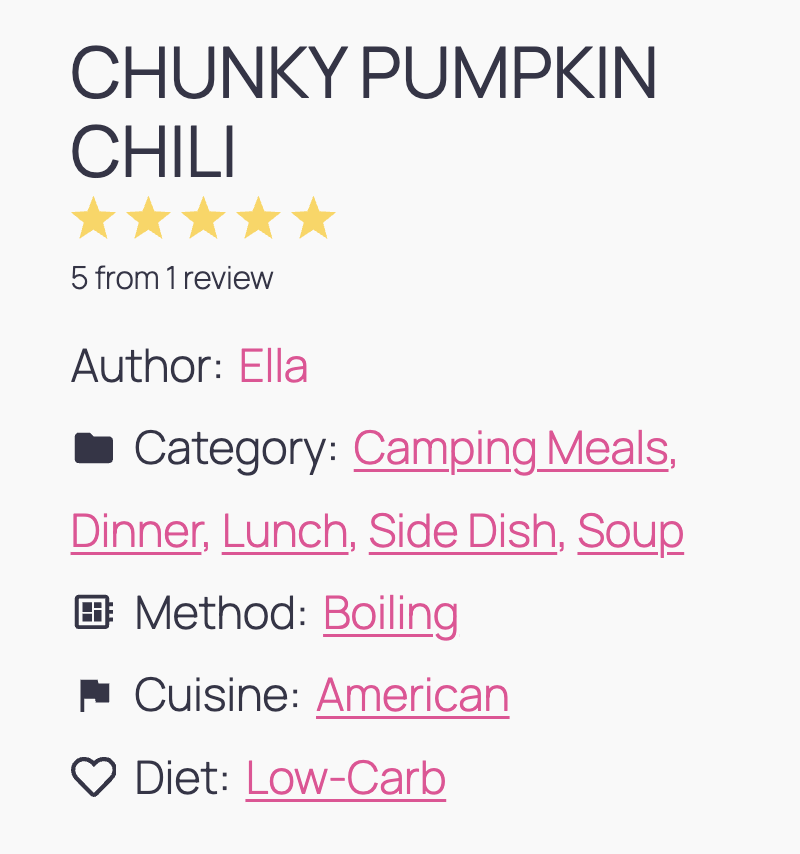
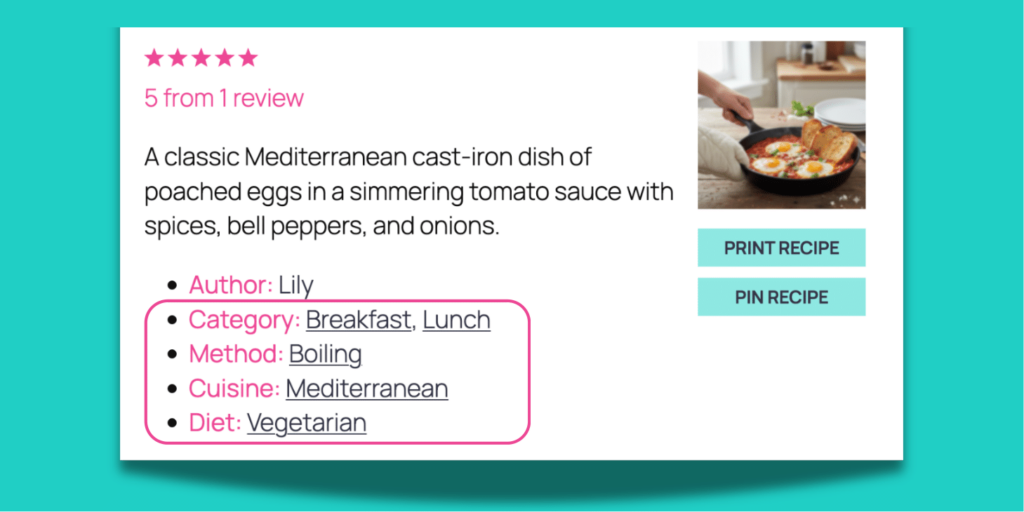
Staring at your Shakshuka recipe wondering if it’s Breakfast, Lunch, or Vegetarian? Make it all three with recipe key options inside your recipe cards.
Four recipe taxonomy dropdowns + a few clicks on your matching recipe keys = your recipe card is tagged in seconds.
Your readers find your recipes easily, and you barely typed a thing.
Organize your recipes from day one
You’re about to publish a recipe and pause. Should this be “Dinner” or “Main Dish”? Did you call it “Gluten-Free” or “Gluten Free” last time? 💭
Tasty Recipes takes the guesswork out of recipe categories. Each dropdown comes pre-loaded with recipe keys you can pick in seconds.
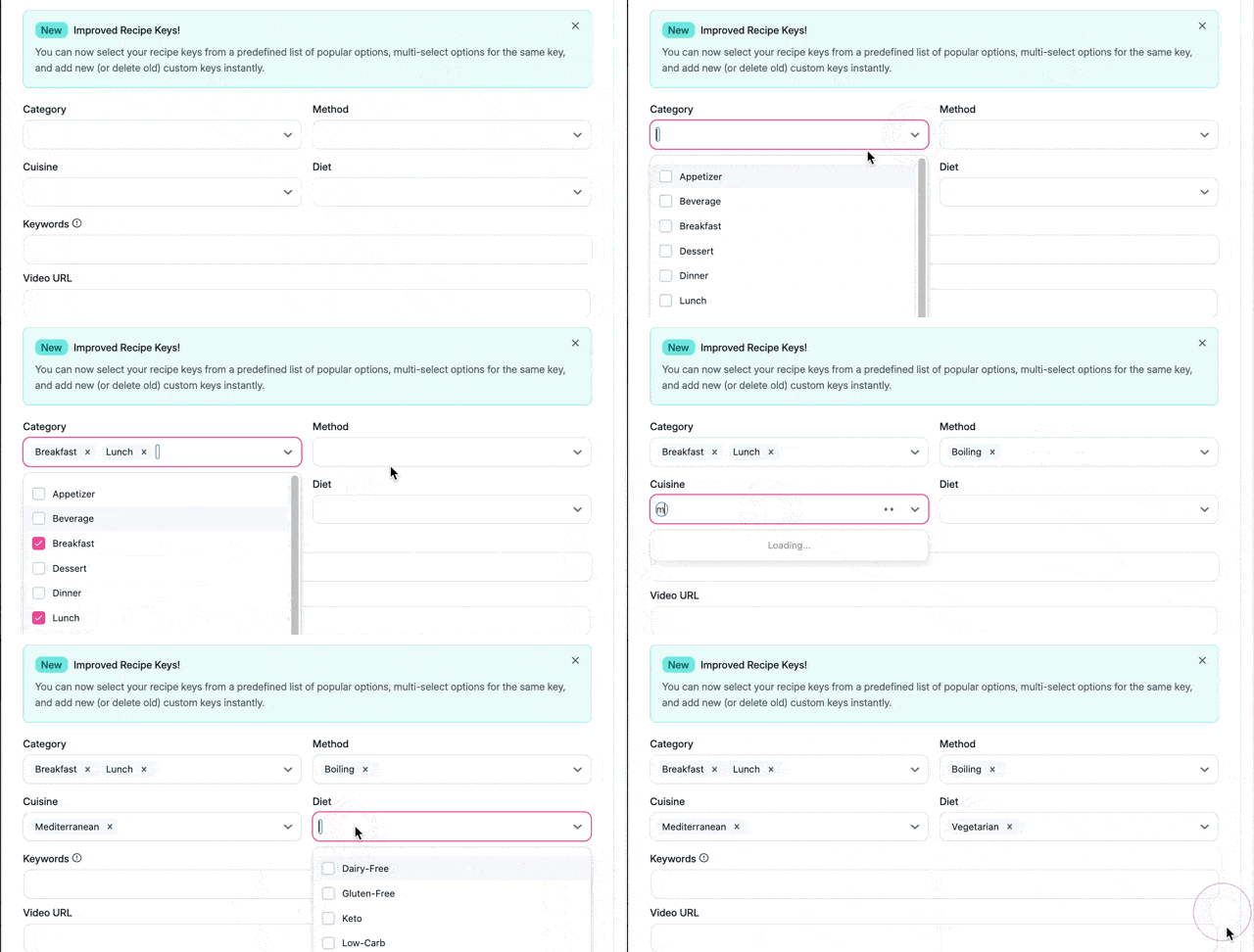
Category has options like “Breakfast,” “Lunch,” “Dinner,” “Dessert,” and more.
Method is all about how you’re cooking: “Boiling,” “Baking,” “Roasting,” etc.
Open Cuisine and you’ll find options like “Italian,” “Mexican,” and “Thai.”
Open Diet, and there’s “Gluten-Free,” “Vegetarian,” “Vegan,” “Keto.”
Add and edit your own recipe keys
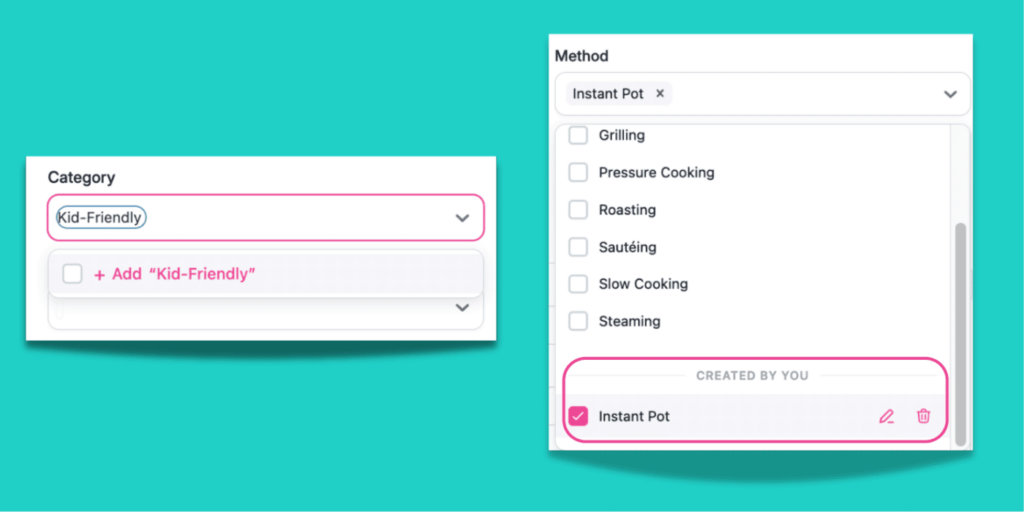
Specialize in “Kid-Friendly” recipes? Or maybe you want an “Instant Pot” Method that doesn’t exist in the defaults?
Add your own. Custom recipe keys show in a Created by you section, ready to reuse (or edit) next time you need them.
Tag one recipe card several ways
Real recipes don’t fit into one neat box. That weeknight garlic chicken stir-fry? It’s “Dinner,” “Chinese,” and “Quick and Easy.”
Tasty Recipes gives you a spot for Category, Method, Cuisine, and Diet. And every dropdown lets you pick more than one recipe key.
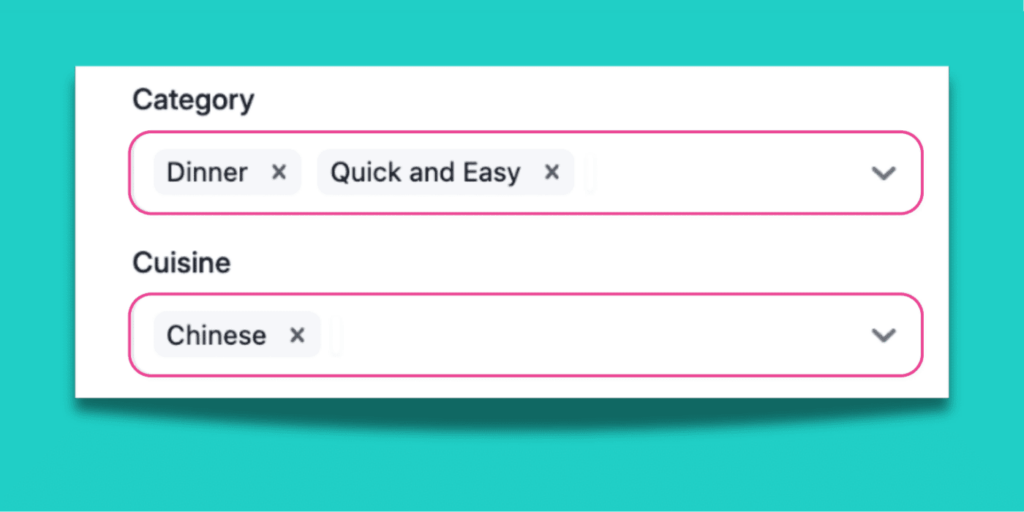
Tag a single recipe with as many as it needs, so readers find it no matter how they search.
Find your recipes in seconds
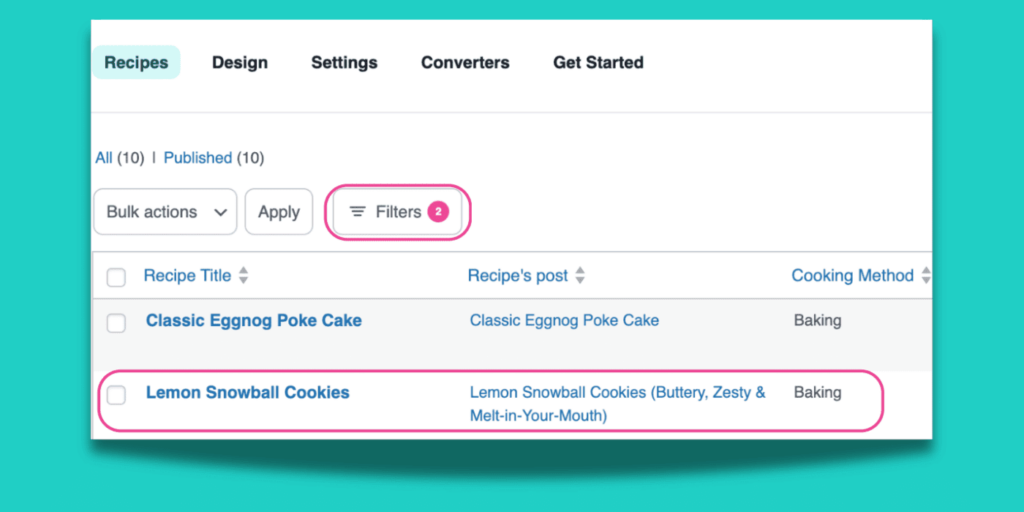
Want to edit that lemon cookie recipe you made last spring? Don’t scroll through every post to find it.
Filter your entire library by Category, Cuisine, Method, or Diet inside your Recipe Explorer. Filter by “Dessert” and “Baking” and there it is.
Welcome to clickable recipe organization
- Open a recipe card or start a new one.
- Click the recipe taxonomies dropdown menus.
- Pick from the built-in recipe keys.
FAQs on recipe taxonomies and recipe keys
- What’s the difference between recipe taxonomies and keys?
-
Recipe taxonomy is the organization system with four dropdowns labeled: Category, Cuisine, Cooking Method, and Diet.
Recipe keys are what’s inside each dropdown. Open Cuisine and pick “Italian.” Open Diet and pick “Gluten-Free.” You pick the keys, and the taxonomy keeps them organized.
- What are recipe keys?
-
Recipe keys are the labels inside each taxonomy dropdown.
For example, when you click the Category taxonomy dropdown, you see the recipe keys “Appetizer,” “Drink,” “Lunch,” “Dinner,” etc.
- Which recipe taxonomy dropdowns are included?
-
Category, Cuisine, Cooking Method, and Diet. Each one comes pre-loaded with common recipe keys.
- Can I add my own recipe keys?
-
Yes! Add options like “Quick and Easy,” and they’ll show up in a Created by you section. Use them on any recipe after that.
- Do I need to set anything up?
-
Nope. The dropdowns show up automatically. Just open a recipe card and start picking.
- Will these affect my existing recipes?
-
Your existing recipes stay exactly as they are. If you’ve already tagged a recipe with something like “Italian” or “Vegetarian,” Tasty Recipes picks it up automatically — nothing changes on your end.
If your original spelling is different from the presets (like “Gluten Free” instead of “Gluten-Free”), Tasty Recipes still pulls it in. When you open that recipe card, you’ll see what you originally had.
If you update the recipe from there, Tasty Recipes creates a custom recipe key in that dropdown. Your tags still work. They just show up in the Created by you section.
- Does this replace WordPress categories?
-
No. Recipe Taxonomies work with your WordPress categories. Your existing setup stays exactly where it is.
- Do recipe taxonomies and recipe keys come with Tasty Recipes Lite?
-
Yes, they’re on all plans! Start here with Tasty Recipes Lite today.


