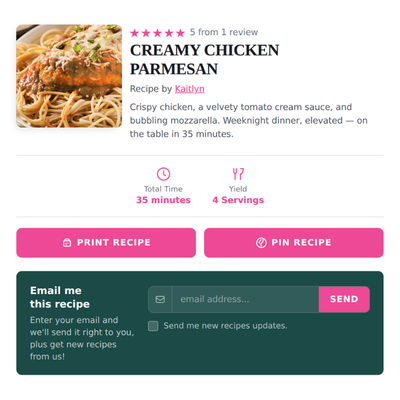
Your reader didn’t sign up for your newsletter because they didn’t come for a newsletter. They came for the chicken parmesan.
Save This Recipe meets them where they are.

Get more email subscribers in three easy steps
Step 1: The prompt shows up in your recipe card. A reader wants to save your recipe. They see “Email me this recipe” right there in the card.
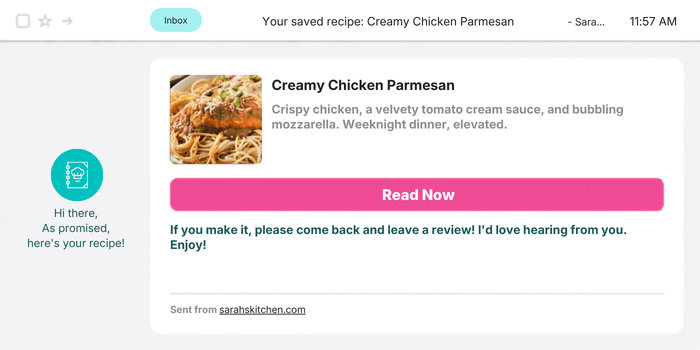
Step 2: They enter their email and hit send. The recipe arrives in their inbox with the recipe’s photo, title, and a link back to your post.
Step 3: If they checked the newsletter box, they’re on your Kit list. No pop-up or separate opt-in page.
They get the recipe, and you get the subscriber
Your readers get the recipe they asked for
The email looks like it came from you. Your logo, the recipe they saved, a description, and a little note asking for a review. It feels personal because it is.
You get a subscriber who’s already a fan
Someone who saves your chicken parmesan already likes your food.
Someone who saves one of your recipes is likely to be hungry for more. They came for your chicken parmesan, and now they’re sure to want seconds — or maybe dessert!
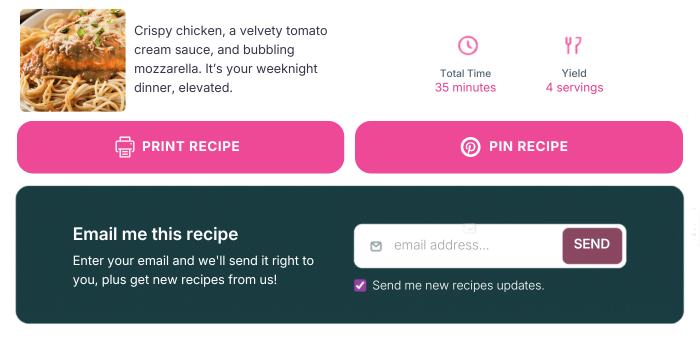
Save This Recipe works on every recipe you’ve ever published
Turn it on once and it’s on every post with a recipe card.
The one you wrote last week and the one you wrote three years ago starts collecting subscribers in the background.
Pair it with Kit to put your email list on autopilot
Create a free Kit account or connect your current Kit account in two minutes and Save This Recipe becomes a passive list-building machine.
Every reader who saves a recipe and checks the newsletter box goes straight into Kit, ready to receive your next email.
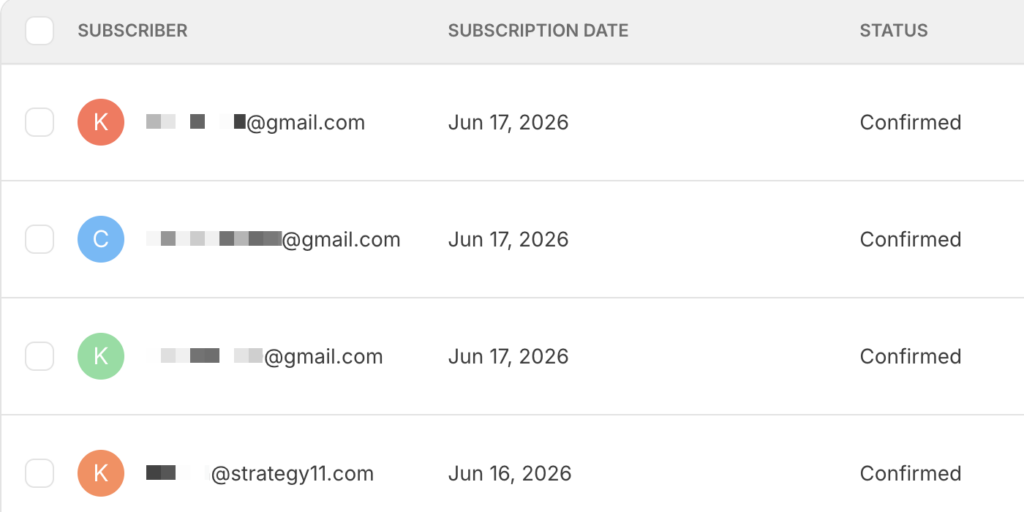
No confirmation email they’ll forget to click. As soon as they opt in, they’re in.
If you don’t have a Kit account yet, the feature still works. Readers get your recipe link, but they aren’t added to your email list.
Turn on Save This Recipe once, and it runs itself
Go to WP Tasty → Tasty Recipes → Settings. Scroll to Save Recipe/Newsletter. Flip the toggle.
Before you preview it on your posts:
- Customize your call-to-action text, subheading, and button text
- Choose where the email form appears
- Add your Kit API key if you use Kit
- Install WP Mail SMTP to make sure emails land in inboxes, not spam
Your form is live on every recipe the moment you save your settings.
Save This Recipe FAQs
- What is Save This Recipe?
-
Save This Recipe is a feature inside Tasty Recipes that lets food blog readers email themselves a recipe link, and opt into your newsletter list in the same step.
- Does Save This Recipe work with Kit?
-
Yes. Connect your Kit API key in Tasty Recipes settings and new subscribers go straight into your Kit account.
- Does Save This Recipe work without Kit or an email platform?
-
Yes. If you don’t use Kit, the feature still sends readers the recipe link via email. Connecting Kit is optional. But, it’s what lets reader emails flow into your list.
- Will the emails end up in spam?
-
Not if you use WP Mail SMTP (free). It routes your emails through a proper mail service so they arrive reliably. It’s a quick setup and definitely worth doing before you turn the feature on.
- Do readers need an account get my recipes in their email?
-
Nope. Readers enter their email address and the recipe link gets sent directly to their inbox.
- Does Save This Recipe comply with GDPR?
-
Yes. The newsletter checkbox is unchecked by default. Readers have to actively choose to subscribe.
- Which Tasty Recipes plan includes Save This Recipe?
-
Save This Recipe is available on all Tasty Recipes paid plans, starting with Basic at $49 for your first year. It’s not included in Tasty Recipes Lite.
- How do I set up Save This Recipe on my recipe cards?
-
Full setup instructions for Save This Recipe are in this knowledge base doc.


