Recipe Taxonomies help you organize your recipes with four built-in dropdowns: Category, Cuisine, Cooking Method, and Diet. Each dropdown comes pre-loaded with common recipe keys you can select, and every recipe key becomes a clickable link on your recipe card so readers can browse similar recipes.
How to Enable Recipe Taxonomy Links
This feature is enabled from the WP Tasty → Tasty Recipes page in your WordPress dashboard. You’ll find it in the Settings tab.
To turn on clickable recipe key links:
- Navigate to WP Tasty → Tasty Recipes → Settings tab
- Find the Taxonomy Key Links toggle
- Switch it to On

Once enabled, all recipe keys on your recipe cards will become clickable links for readers.
How to Add Recipe Taxonomies to a Recipe Card
Recipe Taxonomies are available automatically in every recipe card. Just open any recipe card and you’ll see the four taxonomy dropdowns ready to use.
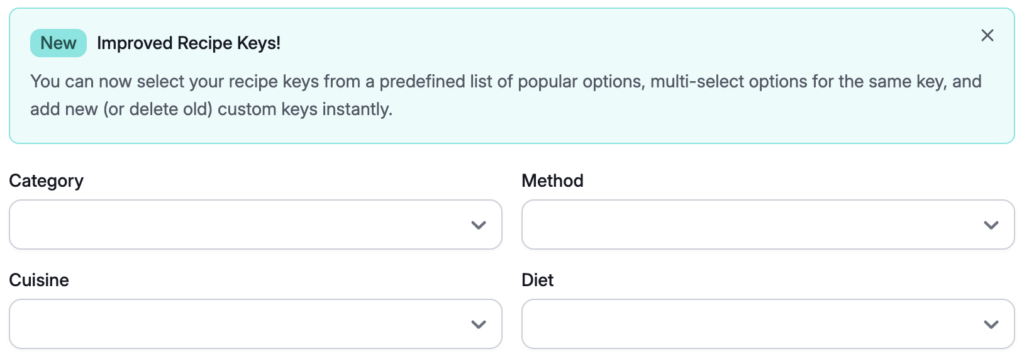
The Four Taxonomy Dropdowns
Category includes options like “Breakfast,” “Lunch,” “Dinner,” “Dessert,” and more.
Method covers how you’re cooking: “Boiling,” “Baking,” “Roasting,” etc.
Cuisine includes options like “Italian,” “Mexican,” and “Thai.”
Diet has options like “Gluten-Free,” “Vegetarian,” “Vegan,” and “Keto.”
How to Tag a Recipe
- Open a recipe card or create a new one
- Click any taxonomy dropdown (Category, Cuisine, Cooking Method, or Diet)
- Select one or more recipe keys from the list
- Repeat for any other taxonomies that apply to your recipe
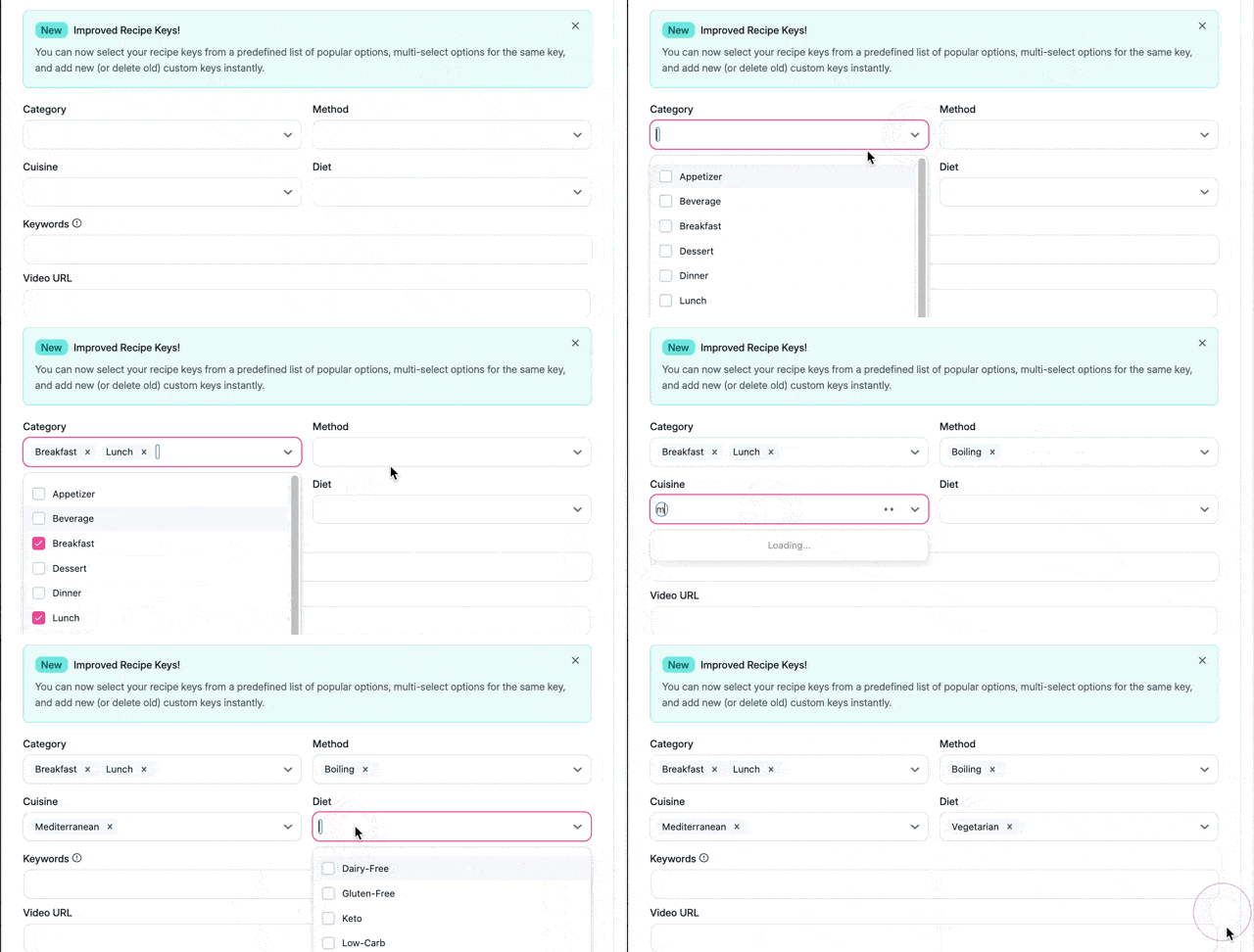
You can tag a single recipe with multiple keys across all four taxonomies. For example, a garlic chicken stir-fry could be tagged as “Dinner,” “Chinese,” “Stir-Frying,” and “Quick and Easy.”
Adding Custom Recipe Keys
Need a recipe key that doesn’t exist in the defaults? Add your own.
- Open any taxonomy dropdown
- Type your custom recipe key name
- Press Enter or click to add it
Your custom recipe keys will appear in a Created by you section at the bottom of that dropdown. Once created, you can reuse them on any recipe.
How Recipe Keys Work for Readers
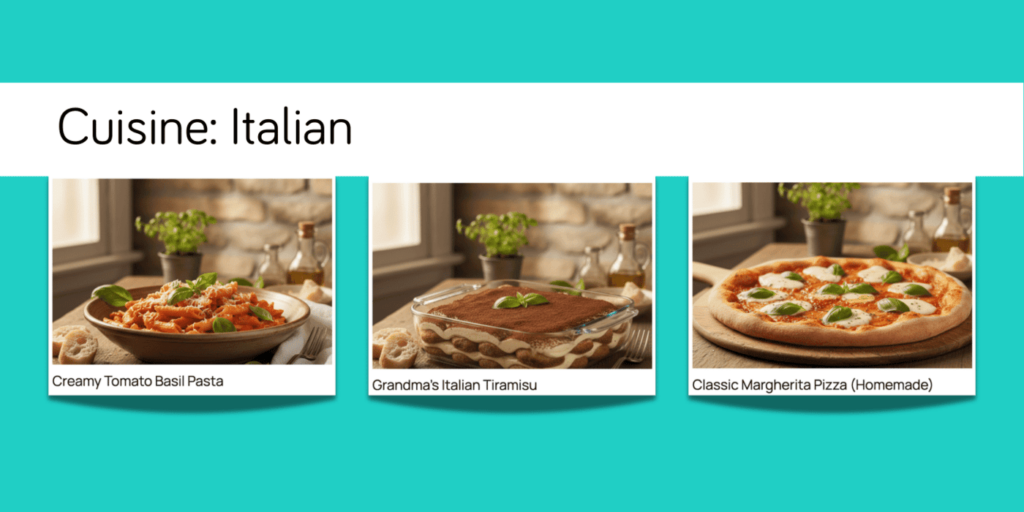
Every recipe key on your recipe card becomes a clickable link. When a reader clicks “Italian” on your Tuscan chicken recipe, they land on a page showing all your Italian recipes. This makes it easy for readers to discover more of your content.
Working with Existing Recipes
Your existing recipes stay exactly as they are. If you’ve already tagged a recipe with something like “Italian” or “Vegetarian,” Tasty Recipes picks it up automatically—nothing changes on your end.
If your original spelling differs from the presets (like “Gluten Free” instead of “Gluten-Free”), Tasty Recipes still pulls it in. When you open that recipe card, you’ll see what you originally had.
If you update the recipe, Tasty Recipes creates a custom recipe key in that dropdown. Your tags still work—they just show up in the Created by you section.
Recipe Taxonomies vs. WordPress Categories
Recipe Taxonomies work alongside your WordPress categories. Your existing WordPress category setup stays exactly where it is. Recipe Taxonomies are specifically designed for organizing recipes within Tasty Recipes.
Note: Recipe Taxonomies are available on all Tasty Recipes plans, including Tasty Recipes Lite.
