For Meryl at Sungrown Kitchen, running a food blog means juggling a lot — recipes, photos, kids, and even a garden.
And her readers? They don’t just want her recipes. They want to cook like she does, with the same Dutch oven, waffle maker, canning jars, and even her favorite olives 🫒.
Now, sharing those essentials without sinking hours into manual linking is the tricky part. And that’s where Tasty Links came in to save the day.
In just one day, Meryl built a resource page that’s simple, helpful, and true to her kitchen. I sat down with her to hear how she pulled it off, and show you how you can too.
Why Meryl wanted an easier way to link to her ingredients + most trusted tools
Meryl is not about throwing affiliate links everywhere. She's dedicated to helping readers make the recipe right.
Here's what she had to say about that,
“Some ingredients make or break a dish. Take olives, for example. If you use black olives instead of kalamata or green, you will notice a difference.”
That’s why she highlights the flavor-makers and tools she uses every day.
Some readers don’t even know what Castelvetrano olives are, so showing a photo, sometimes even her own, makes the recipe easier to follow.
The hard part? Doing it all by hand:
- Open a post.
- Add a link.
- Set tags.
- Add a disclosure.
- Then repeat. 🤯
Linking one product across just a few posts can eat up an hour. And the more posts you write, the faster those hours stack up.
That is, unless you have a WordPress link plugin to help along the way.
How Tasty Links took the busywork out of linking
When Meryl signed up for the Amazon Associates program, she grabbed Tasty Links that same day.
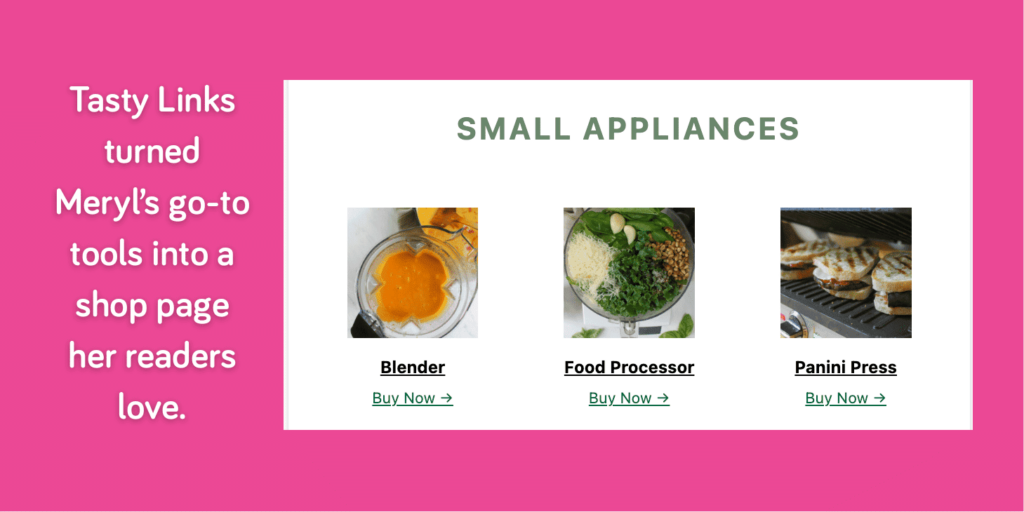
Instead of worrying about a big project, she had her shop page up in just one day.
She said,
“I set it all up in one day… I just built it and it’s running.”
But Meryl didn’t stop at a shop page. 🙅♀️
She also set up keywords so her favorite tools and must-have ingredients now pop up right inside her blog posts and recipes.

That cut out all the extra steps.
No more opening posts one by one. No more copy-paste. No more fiddling with tags and disclosures.
She sets a link once, and it shows up everywhere it should.
And if she swaps a product — like buying a new panini press — she just updates it once in Tasty Links. The change appears across her entire site in seconds.
How Meryl built her shop page in a day with Tasty Links
Setting up a shop page sounds like a huge project. But with our WordPress link plugin, it's simple.
Meryl pulled it off in one afternoon with her kitchen staples, a handful of links, and these four steps.
1. Pick her essentials
She started by choosing the tools she actually uses: her blender, food processor, ice cream maker, and more. About 20 to 30 items made the list.
If it showed up regularly in her recipes, it went on the page.
2. Create a Tasty Link for each essential
For each product, Meryl opened the Tasty Links dashboard and set it up once.
She added her affiliate link, typed in the keyword she wanted to link to (like “ice cream maker” or “slow cooker”).

Then, she came to an important choice: how to show the product.
Tasty Links gave her two options.
Connect her Amazon API to automatically pull in stock images, or upload her own. She chose her own.

Why? Because they were real.
Her photos showed the exact Dutch oven she cooked with, the canning jars in her pantry, the waffle maker her kids love. It felt personal and trustworthy, like inviting readers into her kitchen rather than sending them to a catalog.
After picking her settings and saving each link, she moved on to the next item.
One by one, she built her list of essentials.
When she finished, those keywords automatically linked across her posts. And, they were ready for her next step — building her shop page.
3. Start a new Shop page
Next, Meryl created a new WordPress page to house it all. This became her official Resource page.
4. Add the Featured Links block
Finally, she added Tasty Links’ Featured Links block.
From there, it was as easy as choosing her products from a dropdown list of the links she had already set up.
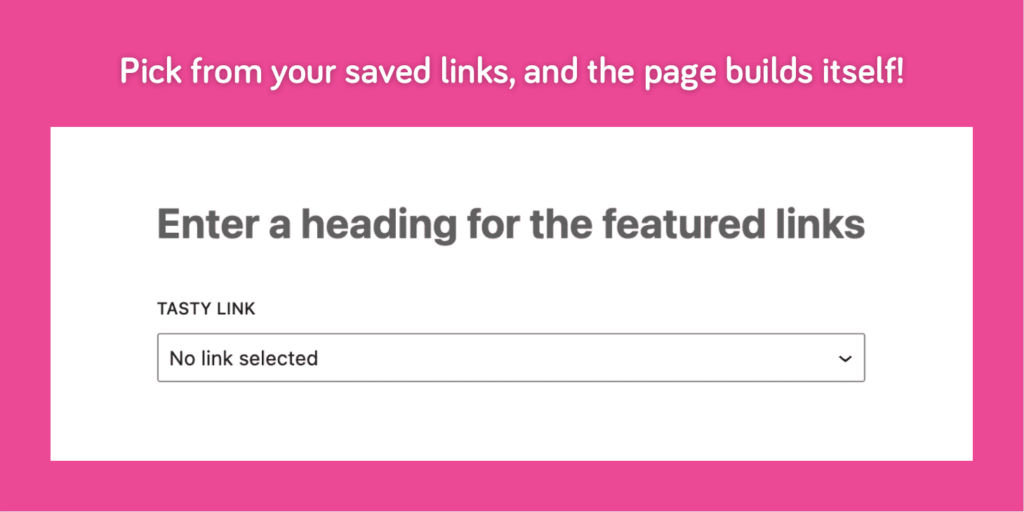
Each product she picked showed up in a click, complete with the image she uploaded and a built-in call-to-action button.

That was it. Four steps, one afternoon, and Meryl had a shop page that now runs on autopilot.
As she told me,
“I wish I’d bought it sooner. It was affordable, so easy to set up, and now it just runs in the background. I don’t have to think about it anymore.”
Tasty Links' reader-first wins that make it worth it
Meryl’s Resource page doesn’t feel like a sales page.
It feels like a peek into her own cupboards — the cutting board she uses to chop her fresh garden veggies, the waffle maker her kids love, the jars she actually uses for canning. Readers trust it because it’s real.
The biggest benefits Meryl sees from Tasty Links:
- A page that feels real. Her own photos. Her own tools. Nothing random or pushy.
- Recipes that make sense. Readers can see exactly what ingredients look like and why they matter.
- Links that build trust. And serve as handy resources.
- Hours saved. No more copy-paste or fiddling with tags.
- Easy updates. Making changes to a link, keyword, or product? It refreshes across her entire site.
Interested in Tasty Links?
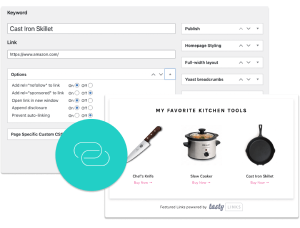
Monetizing your site shouldn’t be hard. Tasty Links makes it easy by managing all your affiliate links and magically inserting them into your posts.
Don’t forget about our 14-day money-back guarantee! Trying out Tasty Links is risk-free!
Build a shop that feels authentic, just like Meryl’s @ Sungrown Kitchen
Meryl’s shop page isn’t about chasing sales. It’s about helping readers cook her recipes the way they’re meant to be made.
Affiliate marketing doesn’t have to be your full-time job. But it is a nice way to make money as a food blogger while you keep growing your content and community.
The best part? It all still feels like Sungrown Kitchen — real, helpful, and reader-first.
And trust me, her recipes deliver. I made her Italian Sausage Gnocchi Skillet with basil and tomatoes from my garden, and it was incredible.

Meryl used Tasty Links to turn her Resource page into a go-to spot her readers can count on. You can too.
