A Recipe SEO Guide for Food Bloggers Who'd Rather Be Cooking

Caroline of Whipped the Blog added one plugin and watched traffic climb on recipes she hadn’t touched in months. She calls it “a glow up extraordinaire.”
Judy Barbe, who described herself as “Not a techie. At. All.” got her recipes showing up in Google’s recipe carousel on her first try.
Neither of them wrote a line of code, but both of them did the same thing. They set up recipe schema markup, filled in their recipe cards, and let Tasty Recipes handle the rest.
This guide is everything a food blogger needs to know about recipe SEO:
- What makes recipe content rank differently from other blog posts
- How schema markup works (and why it’s the first thing to fix)
- Where to find keywords your readers are searching for
- How to build a system that keeps working while you’re photographing your next batch of sourdough
And, it’s as easy as boiling water. No secret tech ingredients, either.
What recipe SEO is (and why it plays by different rules)
When someone Googles “easy chicken tikka masala,” the recipes that show up at the top didn’t get there by accident.
Those bloggers did a few specific things (most of which take less time than making the recipe) to help Google understand what they published and serve it to the right people. That’s recipe SEO.
How recipe SEO is different from regular SEO
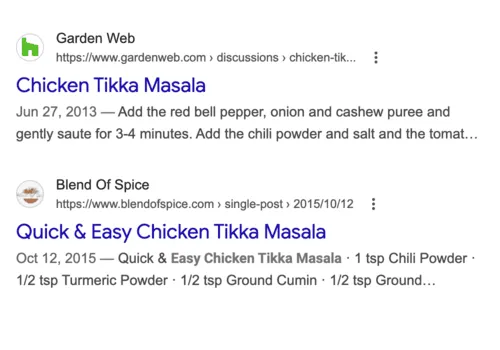
Basic SEO rules still apply: strong keywords, clean structure, content that actually helps the person making the recipe. But recipe SEO adds a layer most other niches don’t have.
Google treats recipes as a separate content category with their own carousels, rich result cards, and structured data standards.
A travel blogger doesn’t need schema markup to rank a post. You do.
Why that’s good news for you
It means there’s a clear, specific playbook. Bloggers who follow it (like Caroline, who saw traffic climbing on old recipes she hadn’t promoted) tend to get results faster than they expected. The ones who skip it stay stuck wondering why a quality recipe post with mouthwatering photos is sitting on page four.
Recipe SEO is not about tricking Google. It’s about giving Google accurate, structured information about your recipes so it can match them to the right people at the right time.
If you want the broader picture of how all of this fits together, our full guide to SEO for food bloggers covers every morsel.
Recipe schema markup: how to get your recipes into Google’s recipe cards
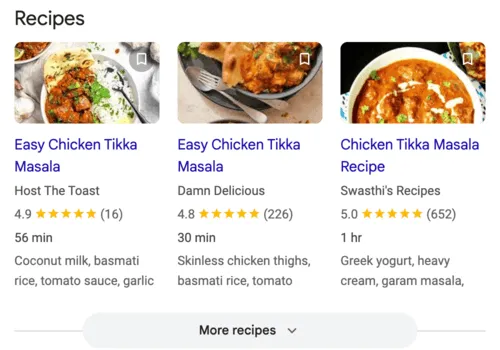
You know those recipe results in Google with the photos, star ratings, cook times, and calorie counts? The ones that take up way more space than a normal search result? Those are recipe rich results, and they exist because the blogger added schema markup to their recipe post.
What schema markup does
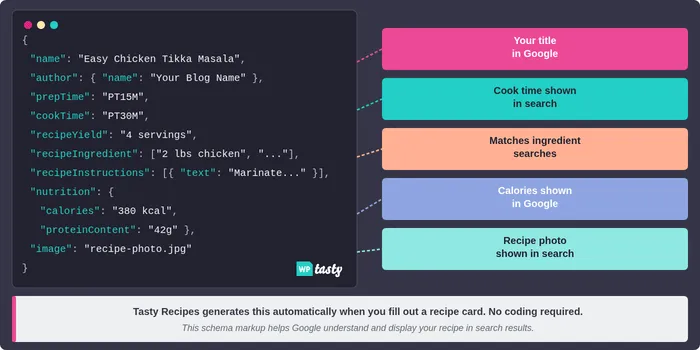
Recipe schema markup is structured code that tells Google exactly what’s in your recipe, like ingredients, cook time, nutrition, and instructions. This is so it can display your post as a rich result card in search.
A complete schema block covers:
- Recipe title
- Every ingredient
- Prep time
- Cook time
- Nutrition info
- Servings
- Ratings
- Step-by-step instructions
Without this code, Google reads your post like any other web page and guesses what it’s about. With it, you’re essentially handing Google a filled-out form about your recipe. The difference shows up directly in how your recipes appear in search results.
Why schema markup is the first thing to fix
Ryan Yates, an Executive Chef and food blogger, said it directly:
The recipe schema [Tasty Recipes] provides helps me rank higher in search results and appear in recipe-rich snippets.
Schema markup is also what gets you into Google’s recipe carousel. That’s the horizontal strip of recipe cards that shows up at the top of search results when someone looks up a dish.
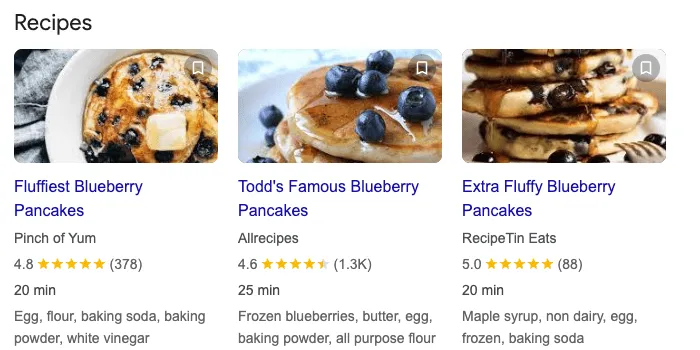
Pinch of Yum, Sally’s Baking Addiction, and Gimme Some Oven all use Tasty Recipes. If it works for the biggest food blogs on the internet, it will work for yours.
You also don’t write schema by hand. Our WordPress recipe plugin generates it automatically every time you fill out a recipe card. Even the free version of our recipe plugin does this, Tasty Recipes Lite, if you want to start there.
It only takes five minutes to install the plugin. Then all the recipes you publish after will automatically have the right structure for Google.
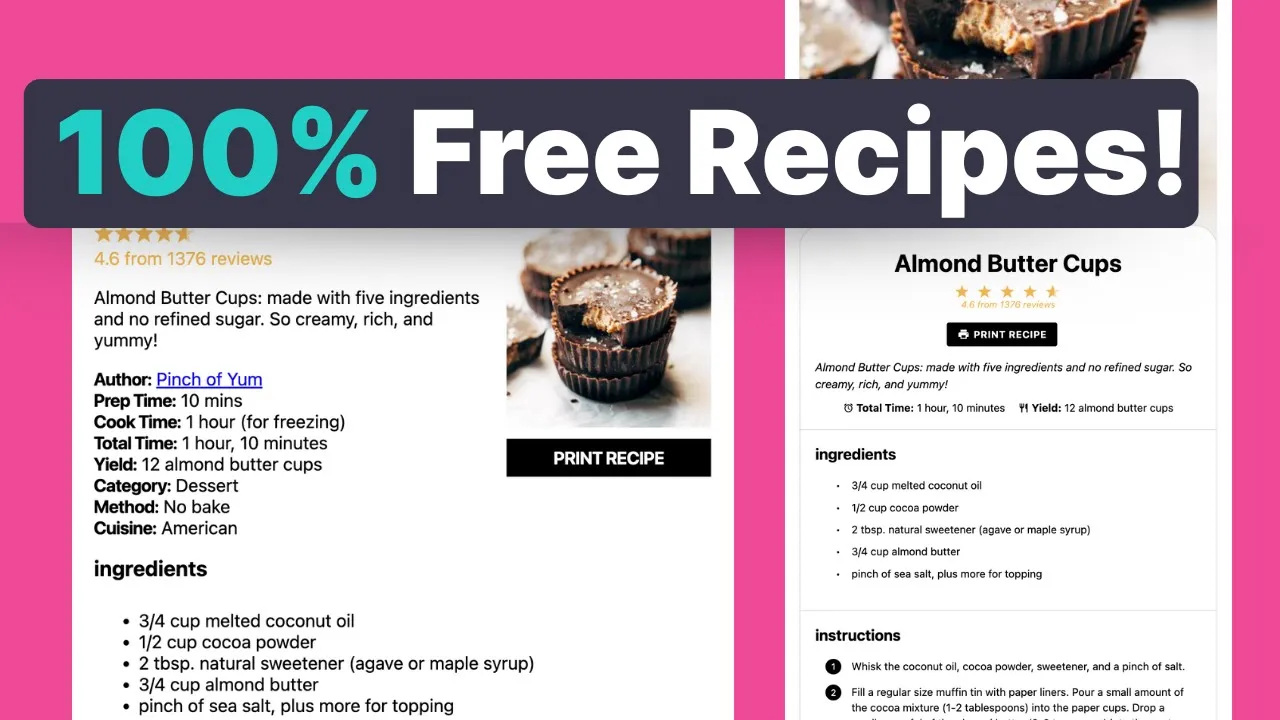
Want to see what your recipe cards will look like? Hit play on the video below.
What’s inside a complete schema block
A full recipe schema covers your recipe name, description, author, prep/cook/total time, servings, every ingredient, step-by-step instructions, nutrition info (calories, protein, carbs, fat), category, cuisine type, keywords, and images.
It also powers features like star ratings and the Jump to Recipe button that readers use every time they visit your post.
The more fields you complete, the more Google has to work with. Missing a few fields won’t disqualify you from rich results. But complete schema gives you the best shot at showing up and the most prominent display when you do.
Want to see why else recipe cards are important for your blog beyond schema? The linked post is a good next read.
How to add schema markup without writing a single line of code
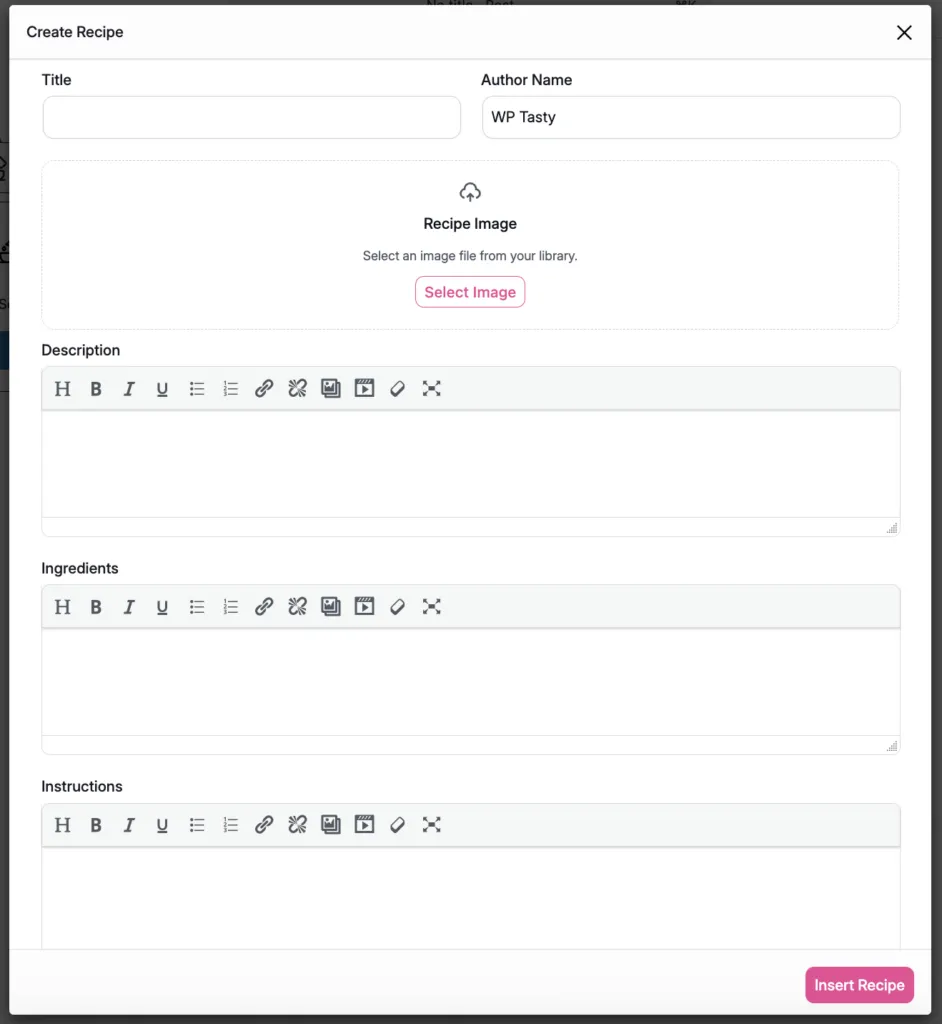
Let a recipe plugin do the work for you. You fill in the recipe card (title, ingredients, instructions, times, nutrition) and everything technical happens behind the scenes. Google gets what it needs, and you never touch a code file.
How it works in Tasty Recipes
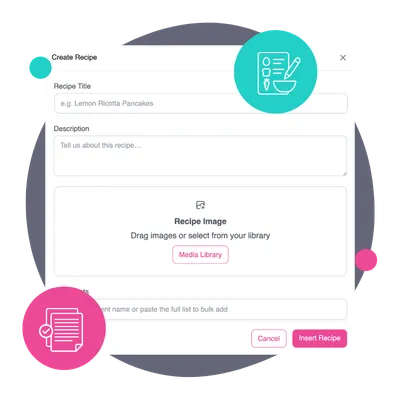
Tasty Recipes plugs into the WordPress block editor. Then, you add the recipe card to your post, fill in the delicious details, and publish. The schema is already baked in, validated, and ready for Google.
Judy Barbe (“Not a techie. At. All.”) got it running on her first try.
Lori Monte, who used to hand-code every recipe element, says the switch went in “like buttah.” 🧈 She now describes the plugin as “another employee” handling the technical side for her.
Comparing options before you decide? Our article on the 8 Best WordPress Recipe Plugins covers what’s out there, including a head-to-head look at WP Recipe Maker vs Tasty Recipes if you’re deciding between the two.
What about doing it manually?
You could write schema by hand or use Google’s Structured Data Markup Helper. But it’s slow, it breaks easily, and you’d need to update it every time Google changes its requirements.
A good recipe SEO plugin takes care of those changes for you. When Google updates what it expects from recipe pages, Tasty Recipes updates too so you don’t have to track what changed or why.
After you set up: validate
Once your plugin is running, paste any recipe URL into Google’s Rich Results Test.
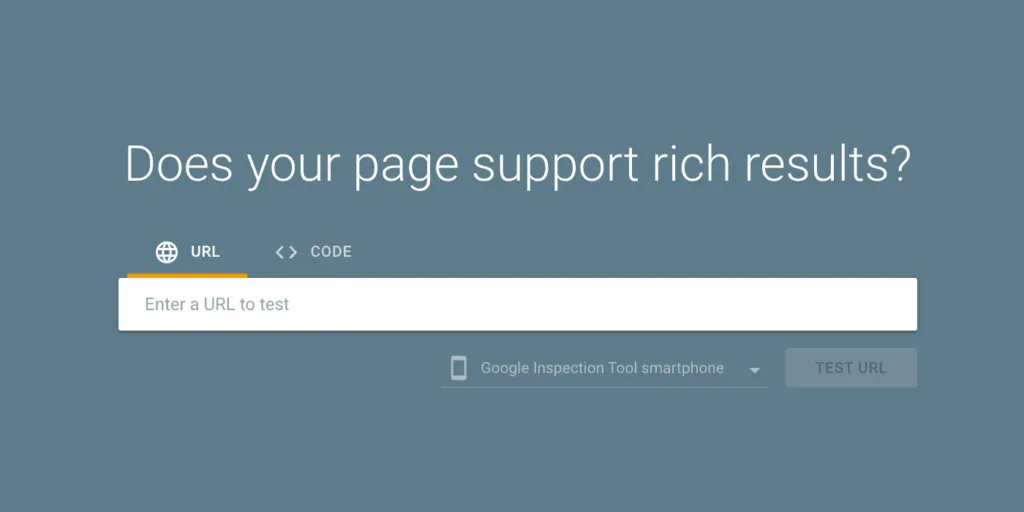
It shows you exactly what Google sees on your page. If something’s missing or broken, you’ll know immediately. For fixing anything that comes up, this walkthrough on validating fixes in Search Console is helpful.
Wondering why your rich results disappeared or never showed up? Why Are My Google Rich Results Missing? covers the most common reasons.
Finding recipe keywords people are searching right now
Schema helps Google understand your content. Keywords help Google connect your content to the right searches. Both matter, but keyword research for recipes has a few quirks worth knowing.
Search intent changes by dish
Someone searching “chicken tikka masala” probably wants a recipe. Someone searching “what is chicken tikka masala” wants information. “Chicken tikka masala recipe” is the clearest signal.
The person typing that is ready to cook. Go for the version where the intent is obvious.
Add a word, expand a topic
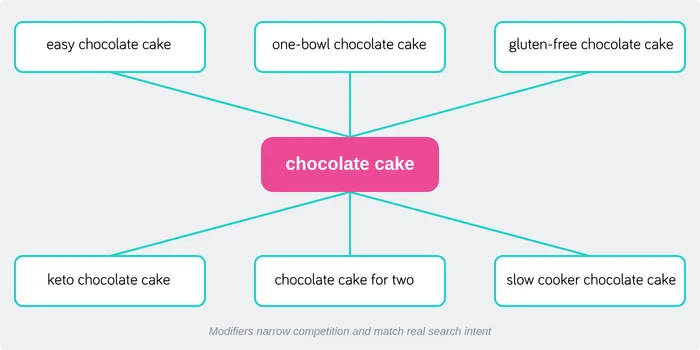
Most dishes can be targeted with descriptor words: easy, quick, healthy, one-pot, slow cooker, gluten-free, dairy-free, keto.
Targeting “chocolate cake” means you’re competing with the entire internet. Targeting “one-bowl chocolate cake gluten-free” narrows the field dramatically, and it matches what real people type when they’re standing in their kitchen deciding what to make.
Seasonal timing is free traffic
Recipe traffic follows the calendar. Pumpkin recipes spike in September. Latke recipes in November. Valentine’s desserts in late January.
If you publish four to six weeks before the peak, your content has time to get indexed and start building authority before the traffic wave of hungry readers hits.
Long-tail keywords are your best friend (especially early on)
A newer blog is better off targeting “miso salmon rice bowl weeknight” than “salmon recipe.”
Long-tail keywords have lower volume but lower competition, and the person who finds you through a specific search like that is more likely to make the recipe, save it, and come back.
Ahrefs, Semrush, and the free Google Search Console can all show you what people are searching for. If you want a full walkthrough of how to find recipe keywords step by step, our keyword research guide for food bloggers covers the entire process.
On-page SEO for recipe posts
Once you have a keyword, you need to use it in the right places. This section is the checklist.
Title, H1, and URL
Your primary keyword belongs in your title. “Easy one-pot chicken tikka masala” is clear and searchable. “My grandma’s favorite Indian-inspired dinner” is a lovely story, but it isn’t as likely to show up when someone searches for chicken tikka masala.
Keep your URL clean too: /easy-chicken-tikka-masala. Drop unnecessary words.
For a deeper look at how to structure recipe posts that rank, recipe format tips and how to write a food blog post are solid companion reads.
Recipe card title
The title inside your recipe card is separate from your blog post title, but they should match closely. Google reads the schema markup, so make sure the recipe name in your card matches what you’re targeting.
Body content
Write for the person making the recipe. Answer the questions they show up with: what does it taste like, is it hard, can they swap the buttermilk for something else.
Google’s helpful content guidance has always been pointing the same direction. Write for humans.
The recipe card handles the structured data. The post handles the reader experience.
Image alt text
Every image needs descriptive alt text. “Overhead shot of chicken tikka masala in a white bowl with naan” is useful for SEO and screen readers. “IMG_4832.jpg” helps nobody.
🍭Tasty Tip: A WordPress Pinterest plugin like Tasty Pins lets you set separate alt text and Pinterest descriptions, so you’re not choosing between SEO and social optimization.
Images and alt text
Your food photography is working hard. You want to make sure Google and Pinterest can see what you’ve created.
How Google uses your images
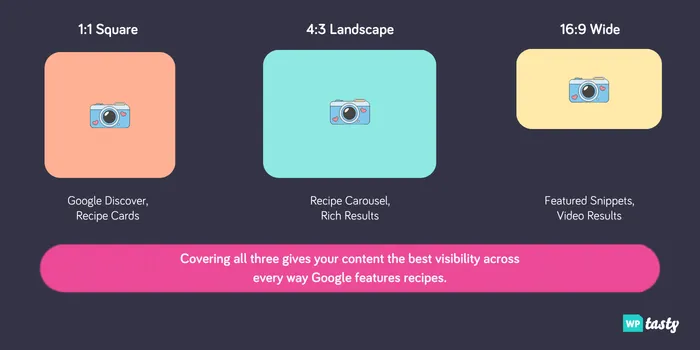
Recipe images are what populate those rich result cards in search. Without an image, your recipe is eligible for text-only results, which get way fewer clicks.
Google favors images in 1:1, 4:3, and 16:9 aspect ratios, and serving all three gives you the best coverage across different result formats.
Pinterest has its own version of this called Rich Pins. They pull your recipe title, ratings, ingredients, and serving info directly onto the pin. See how easy it is to set them up with Tasty Recipes!
Internal linking: how recipe blogs build real authority
Internal links do two things at once.
- They keep readers clicking around your site.
- They point Google to your related content.
For a recipe blog with dozens or hundreds of posts, this is one of the most impactful things you can build.
The pillar-cluster model
A pillar post (like this one) links out to specific related posts, and those posts link back.
This creates a topical cluster that tells Google we cover recipe SEO with real depth, not just a single post.
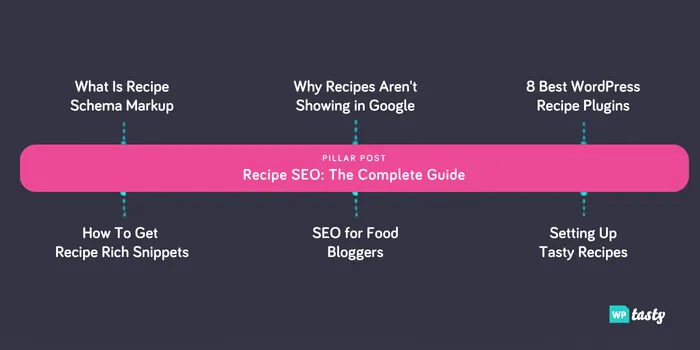
For recipe blogs, clusters form naturally:
- Weeknight chicken dinners
- Sourdough discard recipes
- Thanksgiving sides
- Healthy, one-pan meals
- The list goes on…
Each pillar links to 10-20 related recipes and guides. Each cluster post links back.
Automating internal links at scale
The manual version of internal linking means opening hundreds of posts one by one and adding links by hand.
Tasty Links automates it. You set a keyword, assign a URL, and the plugin drops that link in everywhere the keyword appears across your site.
Caroline described the first time she ran it:
I put in the word waffle. And I gave it the link and clicked go — and there it went, 600 pages of my blog immediately linked to that waffle post. That’s the kind of scale that’s not realistic to do manually.
Roundup posts do double duty
A single roundup post (“25 best weeknight pasta recipes”) links to 25 individual recipes at once, shows up in searches for collections, drives Pinterest traffic, and keeps readers exploring.
Lori Monte calls Tasty Roundups “probably one of my favorite plugins of WP Tasty” — because when you don’t have time to create a new recipe, you can put together a roundup that looks polished and takes a fraction of the time.
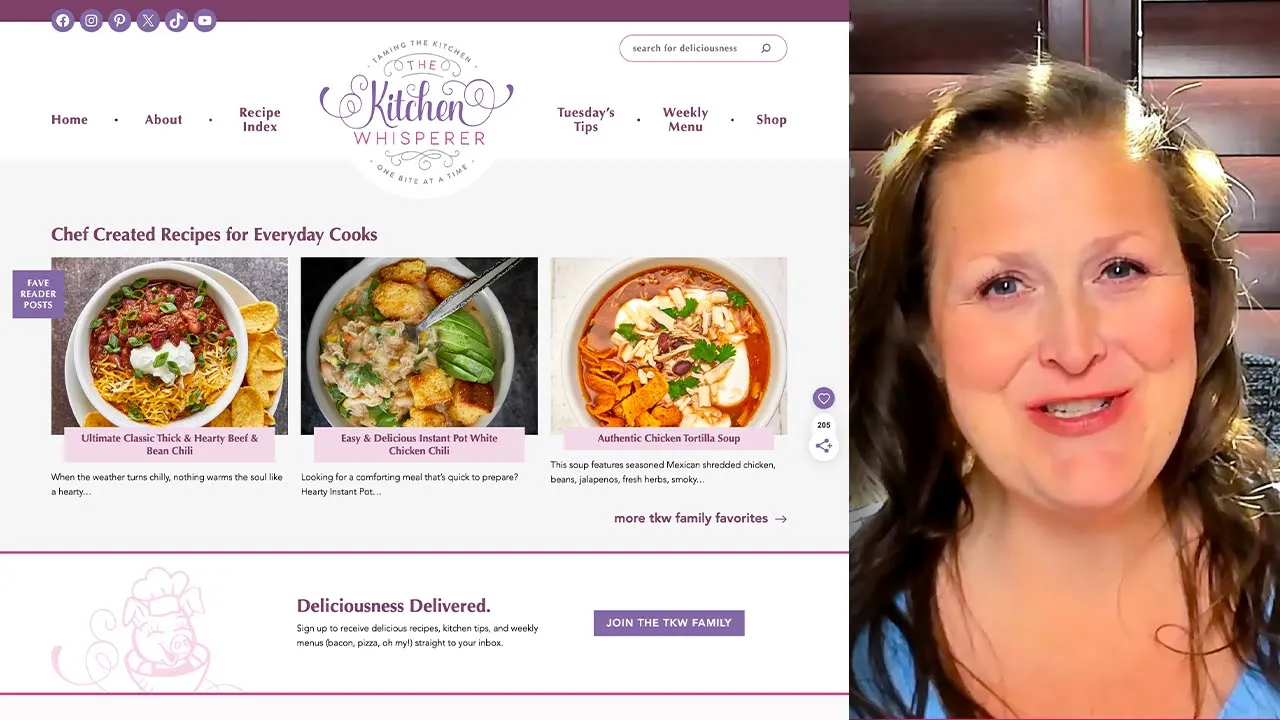
Our WordPress roundup plugin builds these fast.
You pick posts from your library, and the plugin pulls images, titles, and links automatically. And our post, how to create a recipe roundup post, walks through the full process.
AI Overviews and what they mean for recipe traffic
Google’s AI Overviews (those AI-generated answer boxes at the top of some search results) have food bloggers asking a fair question: if Google is answering recipe queries itself, does any of this SEO work still matter?
More than anything, it depends on the query.
The more basic the search, the more AI eats it
If you search “pancake” in Google right now, you’ll get an AI Overview explaining what a pancake is, the different types, and a full recipe. All generated by AI. The traditional recipe carousel doesn’t show up until you scroll past it.
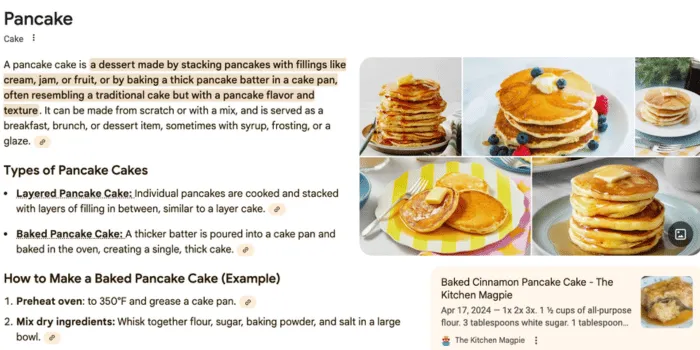
Now, look what happens when you search “basic pancake recipe.” 🥞
Different story. You get a recipe carousel right at the top, populated by food blogs: Allrecipes, Cafe Delites, Serious Eats, and more. The AI Overview is gone.
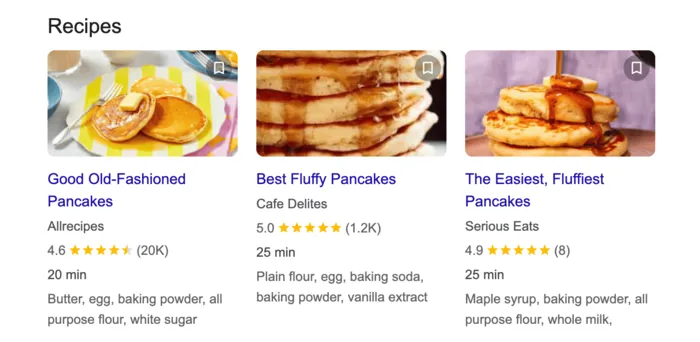
That pattern holds across recipe searches.
Broad, generic queries (“pancake,” “how to cook chicken”) tend to trigger AI Overviews. Specific recipe queries (“basic pancake recipe,” “best blueberry pancake recipe”) tend to produce traditional results with recipe carousels featuring food blogs.
This matters for how you think about keyword targeting. Specificity protects your traffic.
The numbers right now
In a recent Food Blogger Pro Podcast Episode, Bjork and Emily highlighted graphite.io’s study that,
AI Overviews appear in roughly 30% of searches. So, it’s not every search, not even most.
The majority still bring in traditional results: rich result cards, recipe carousels, blue links. Schema markup is what determines whether you show up there.
Why schema still matters for AI Overviews too
When Google’s AI does generate an overview, it pulls from pages it trusts.
Posts with complete schema markup, quality images, and clear instructions are more likely to get cited as a source. The same things that help your recipes show up in traditional search results — good schema, good content, good structure — are what make Google’s AI more likely to cite you.
What AI can’t do
AI Overviews generate answers. They don’t generate experience.
Veronika of The Healthful Ideas said it best:
There’s actual people making this recipe.
The stuff that keeps readers coming back is the note about what the batter should look like right before it’s ready, or the substitution that works when you’re out of buttermilk. That can only come from someone who cooked it.
The zero-click concern is real and worth keeping an eye on. But the food bloggers pulling steady traffic right now are the ones who kept their SEO foundations tight and doubled down on voice and specificity. Schema is still table stakes.
A two-week recipe SEO action plan
You don’t need a month. You need two focused weeks and then a habit.
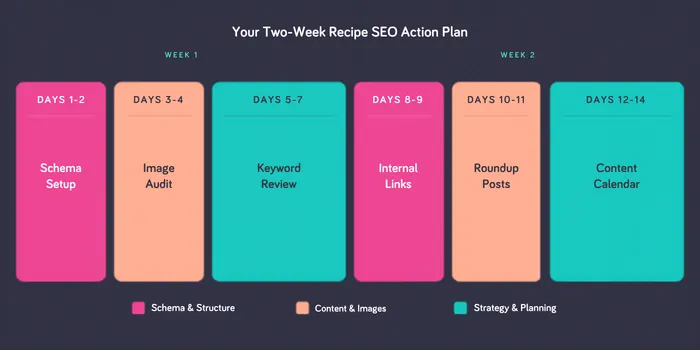
Week one: foundations
Days 1–2: Schema markup. If you don’t have a recipe plugin generating schema, this is the first fix. Install Tasty Recipes, migrate your existing recipes to recipe cards, and confirm schema is validating in Google Search Console.
Days 3–4: Image audit. Check your top 20 posts. Does every image have descriptive alt text? Are you using the right aspect ratios?
Days 5–7: Keyword review. Pull your top 20 posts from Search Console. Look at the queries driving impressions. Are your title tags in line with those queries? Are there modifiers you could add (one-pot, easy, gluten-free) to your posts without rewriting them?
Week two: structure
Days 8–9: Internal linking. Audit your top five posts for internal links. Are they linking to related content? Set up Tasty Links for your most common keyword phrases linking to your related and relevant content.
Days 10–11: Roundup posts. Find two or three topics where you have enough content for a roundup: “30 healthy weeknight dinners,” “15 recipes using canned tomatoes.” These posts show up when someone searches for recipe collections, they pull well on Pinterest, and every one of them builds links across your existing recipe library. Tasty Roundups builds them fast.
Days 12–14: Content calendar. What seasonal peaks are coming in the next 60 days? What long-tail keywords have you spotted but not published against? Plan two or three posts ahead of each window.
After week two
The maintenance habit: for every new recipe, fill out the card completely, add descriptive alt text to every image, and drop in two or three internal links. Takes five extra minutes per post.

“I have had this plugin on my blog for only a few short weeks and already have seen my traffic increase due to its recipe SEO features that Google search says are important!”
Samantha Clifford @ The Golden Beets
Where to start with recipe SEO
If you take one thing from this guide, make it this: set up recipe schema markup.
It’s the single move that takes a few minutes and gives you the most visible results.
Google needs structured data to understand your recipes. A recipe plugin provides that data. The distance between “my recipes don’t show up” and “my recipes are in the carousel” is often one recipe card and one afternoon.
Not sure if you’re ready to commit? Tasty Recipes Lite is free. Set it up, see your recipes in recipe cards, confirm schema is working — and then decide. There’s nothing to lose and a lot of traffic to potentially find.
Set it up. Then get back to creating.